
Top 10 Business Processes That Can Be Automated with Mobile Apps
Learn how mobile apps can automate key business processes such as attendance, CRM, inventory, payments, task management, customer support, and field operations to improve efficiency and productivity.
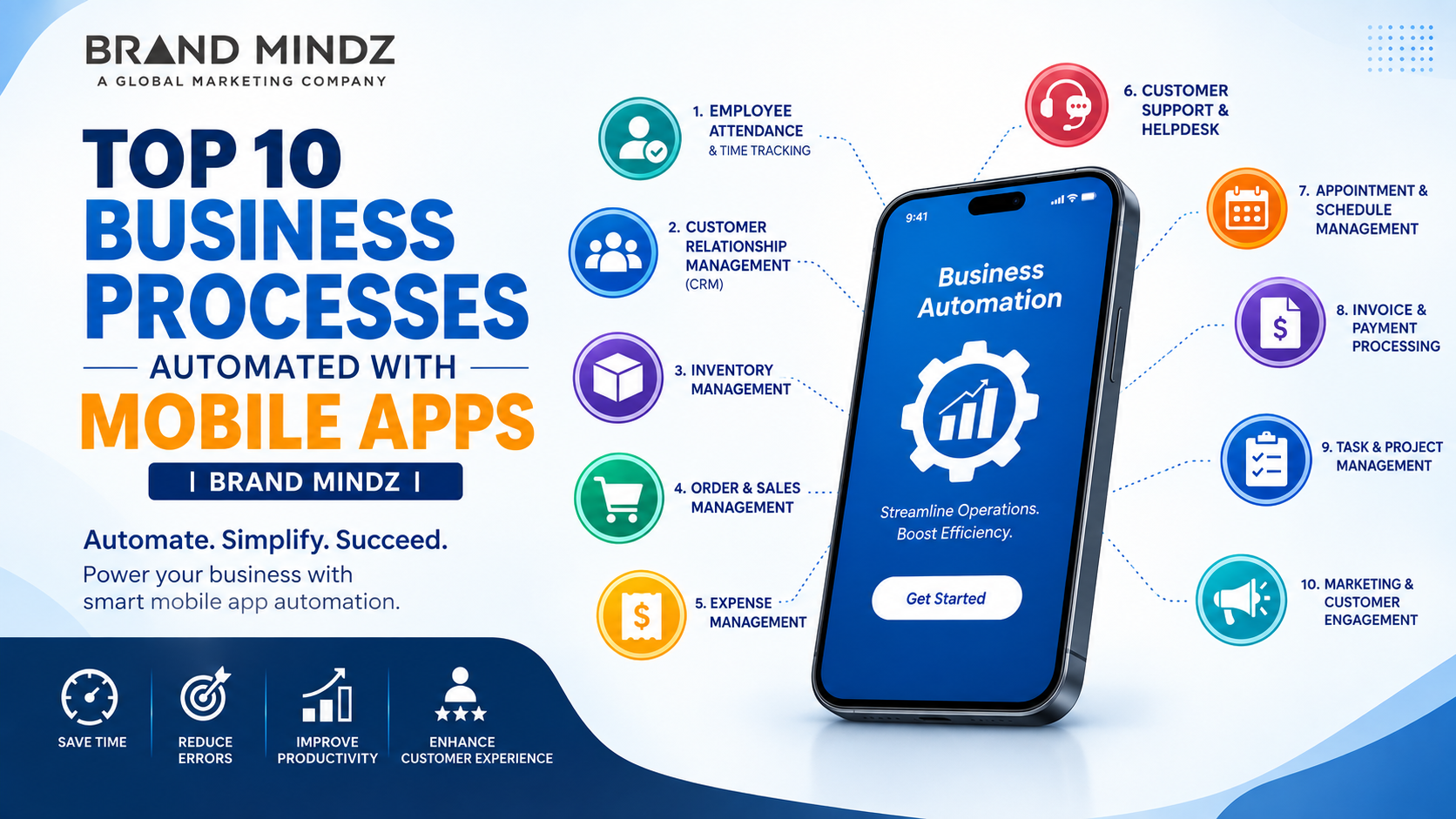
Mobile apps are now a part of how modern businesses run. Every business, no matter how big or small, uses apps to talk with customers and to run routine tasks automatically. Mobile apps help manage workers, keep track of stock, answer customer questions, and process payments. Because of apps, everyday business tasks become quicker, more precise, and simpler to handle. Using apps for business process automation cuts down on manual tasks, boosts productivity, cuts down on mistakes, and lets employees get essential information wherever they are. Below are the top ten business processes that can be well automated with apps.
Employee Attendance and Time Tracking Managing employee attendance by hand takes a lot of time. A mobile app can make this process easier by using tools like GPS tracking, QR codes, biometric login, or check-in and check-out systems. These features help track who's present and when they arrive or leave, all without needing extra work from managers.
I think employees can record their working hours directly through the app, while managers can monitor attendance and working schedules in time. Automated attendance systems also simplify payroll calculations. Leave management.
Customer Relationship Management Customer relationship management is a business process that can be automated using mobile apps. A CRM‑enabled mobile application can store details about customers, track interactions, manage leads, and keep records of follow‑ups for customer relationship management. Sales teams have the ability to view customer details while they are travelling. When they are meeting clients. Automated reminders and notifications also help employees to follow up with customers at the appropriate time.
Inventory Management I notice that inventory management gets hard when businesses rely on spreadsheets or manual records. I also find that mobile apps can automate stock tracking and deliver real‑time information about the products that are still available. Employees can scan barcodes or QR codes to update inventory instantly. The application can also generate low‑stock alerts, monitor product movement, and keep inventory records accurate.
Order and Sales Management Mobile apps make it easier to get and handle customer orders. Sales reps can now create orders right from their smartphones or tablets. This removes the need for paper forms and speeds up the process. Once an order is sent, the details can go directly to the teams for handling. This can cut down on waiting time and mistakes when entering data and make delivering orders better. Once an order is sent, the details can go directly to the teams for handling. This can cut down on waiting time and mistakes when entering data and make delivering orders better.
Expense Management I find that tracking business expenses by hand can cause admin work. A mobile expense management app lets employees record expenses, upload receipts, and submit reimbursement requests using their devices. Businesses can automate approval processes and sort expenses. Managers can look at them. Say yes to requests online, which makes handling money easier and clearer. Businesses can automate approval processes and sort expenses. Managers can look at. Say yes to requests online, which makes handling money easier and clearer.
Customer Support and Helpdesk Customer support can also be handled using apps. Companies can give customers ways to file complaints, create help tickets, see the status of their tickets, and talk to support staff. Automatic messages can let customers know when their requests are received, when they are given to a person, or when they are fixed. Chatbots and lists of questions can help cut down the amount of work for customer support teams.
Appointment and Schedule Management Businesses such as healthcare providers, consultants, salons, educational institutions, and service companies can use mobile apps to automate appointments. Customers can look at the times that are open and book appointments right in the app. The app can also send reminders before customers have an appointment, which helps businesses cut down on missed appointments and makes the experience better for customers.
Invoice and Payment Processing Mobile apps help make invoicing and payment collection faster and easier. Mobile apps allow businesses to create invoices, send invoices to customers, monitor payment status, and offer payment choices through an app.
Automation can also generate payment reminders for invoices, helping to keep accounts. Integrating payment gateways can make transactions more convenient for both businesses and customers, easing the payment process for everyone involved.
Employee Task and Project Management Managing tasks through emails and spreadsheets can make it hard to see project progress. A mobile project management application can automate task assignment, set deadlines, and track project progress. Send notifications.
Managers can assign tasks to employees. Managers can see who gets which task. Team members can update their progress directly through the app. Team members can see when a task is done. This improves communication. It gives businesses visibility into ongoing projects. Businesses can see where each project stands. Businesses can plan better. Marketing and Customer Engagement I notice that mobile applications can automate marketing tasks. Businesses can send notifications, promotional offers, product updates, and reminders to customers.
I find that apps can also gather customer behavior data, helping businesses understand customer behavior. When customer behavior data is combined with analytics and customer segmentation, mobile applications can support targeted marketing campaigns and improve customer engagement.
Benefits of Automating Business Processes with Mobile Apps There are many benefits that a business process automation using mobile applications can provide:
Time-saving: Repeatable tasks are performed automatically.
Minimized errors: Automatic processing of data can avoid human errors.
Productivity boost: Employees will concentrate on doing other useful things for the company.
Real-time data: Managers get access to relevant business data from everywhere.
Better customer service: Quick responses and online services lead to satisfied customers.
Reduced cost of operations: Automation minimizes the amount of paperwork and unnecessary work.
Helps make decisions: Real-time reports and analytics help make decisions about business issues.
Document and Approval Management Common Documents Businesses Manage Businesses handle documents, including purchase requests, leave applications, quotations, contracts, invoices, and internal forms. I notice that managing documents by hand often leads to delays; documents get misplaced, and approvals become stuck.
Mobile Document Submission A mobile app can automate document submission, review, approval, and notification processes. Employees can upload documents directly from their smartphones, making it easier to submit requests and share important files from anywhere.
Remote Review and Approval Managers can. Approve documents from any place not needing paper or a visit to the office. Managers will receive automated notifications whenever action is needed. Managers can take care of the task away.
Benefits of Digital Document Management Digital document management creates a more organized workflow. It also reduces paperwork. Digital document management improves document accessibility for everyone. The system keeps files easy to find and quick to share. It helps teams save time and work efficiently. Digital document management makes office life smoother and less cluttered.
Field Service and Work Order Management Managing Field Operations I have seen businesses that rely on field employees, technicians, delivery teams, or maintenance staff. They can use apps to automate field service operations. Of phone calls, paper forms, or manual updates, employees receive work orders directly through the application. This keeps everything fast.
Accessing Job Information The app can provide job details, customer information, locations, schedules, and task instructions. Employees can access the job details, customer information, locations, schedules, and task instructions that employees need while working at locations.
Updating Work Status Employees can change their work status, take pictures, get customer signatures, and send service reports using the app. These tools help companies keep records of work that is done and work that is still left to do.
Monitoring Field Performance Managers can monitor field activities in time and quickly spot jobs that are completed, pending, or delayed. By seeing field activities, managers keep office teams and field employees in sync, and businesses can give customers faster help.
How much does it cost to develop a business automation mobile app? The cost depends on factors such as app features, design, platform, integrations, security requirements, backend infrastructure, and development complexity. A simple automation app generally costs less than a large enterprise application with multiple integrations.
How do mobile apps help automate business processes? Mobile apps automate repetitive tasks by collecting data, sending notifications, processing information, assigning tasks, tracking activities, and connecting different business functions in one digital platform.
What are the benefits of business process automation through mobile apps? The main benefits include saving time, reducing manual errors, improving employee productivity, providing real-time information, reducing operational costs, and delivering better customer service.
Can small businesses use mobile apps for process automation? Yes. Small businesses can use mobile apps to automate specific processes such as invoicing, inventory tracking, customer management, employee attendance, appointments, and customer support without automating every business function at once.
Can mobile apps help with inventory management? Yes. Mobile apps can track stock levels, scan barcodes or QR codes, monitor product movement, and send alerts when inventory reaches a low level.
Final Thought Mobile apps are changing the way businesses manage their activities. From employee attendance and customer relationship management to inventory, payments, document approvals, and field service management, mobile apps can automate repetitive business processes. Business process automation through apps helps reduce manual work, reduce errors, save time, and improve overall productivity. It also gives employees and managers access to information in real time even when they are working away from the office. At the time customers can benefit from faster responses, easier bookings, convenient payments, and better service. However, every business has requirements. Therefore, choosing the features and developing a mobile app that fits specific business needs is important. A designed mobile app can connect different departments, simplify workflows, improve communication, and support better decision-making. As businesses continue to adopt technologies, mobile app development and automation can play an important role in creating faster, smarter, and more efficient business operations. Investing in the right app can help businesses reduce operational challenges, improve customer satisfaction, and achieve sustainable growth.